• Skip to primary navigation
  • Skip to main content
  • Skip to primary sidebar

FAQ

Frequently Asked Questions

  • Home
  • Contact Us

Setup Automatic Replies for Shared Accounts


Login to https://owa.mdc.edu with a personal username

Click on your initials
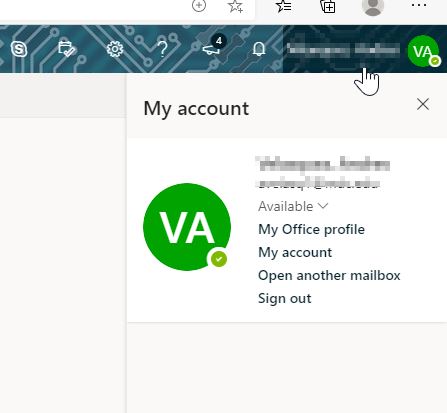
Select “Open Another Mailbox”
Search for the name of the shared email account and click Open.
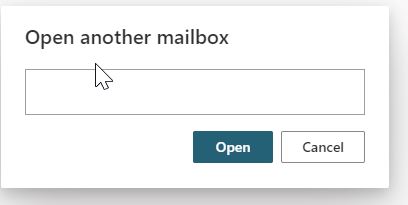
That will open the shared mailbox in a new tab.

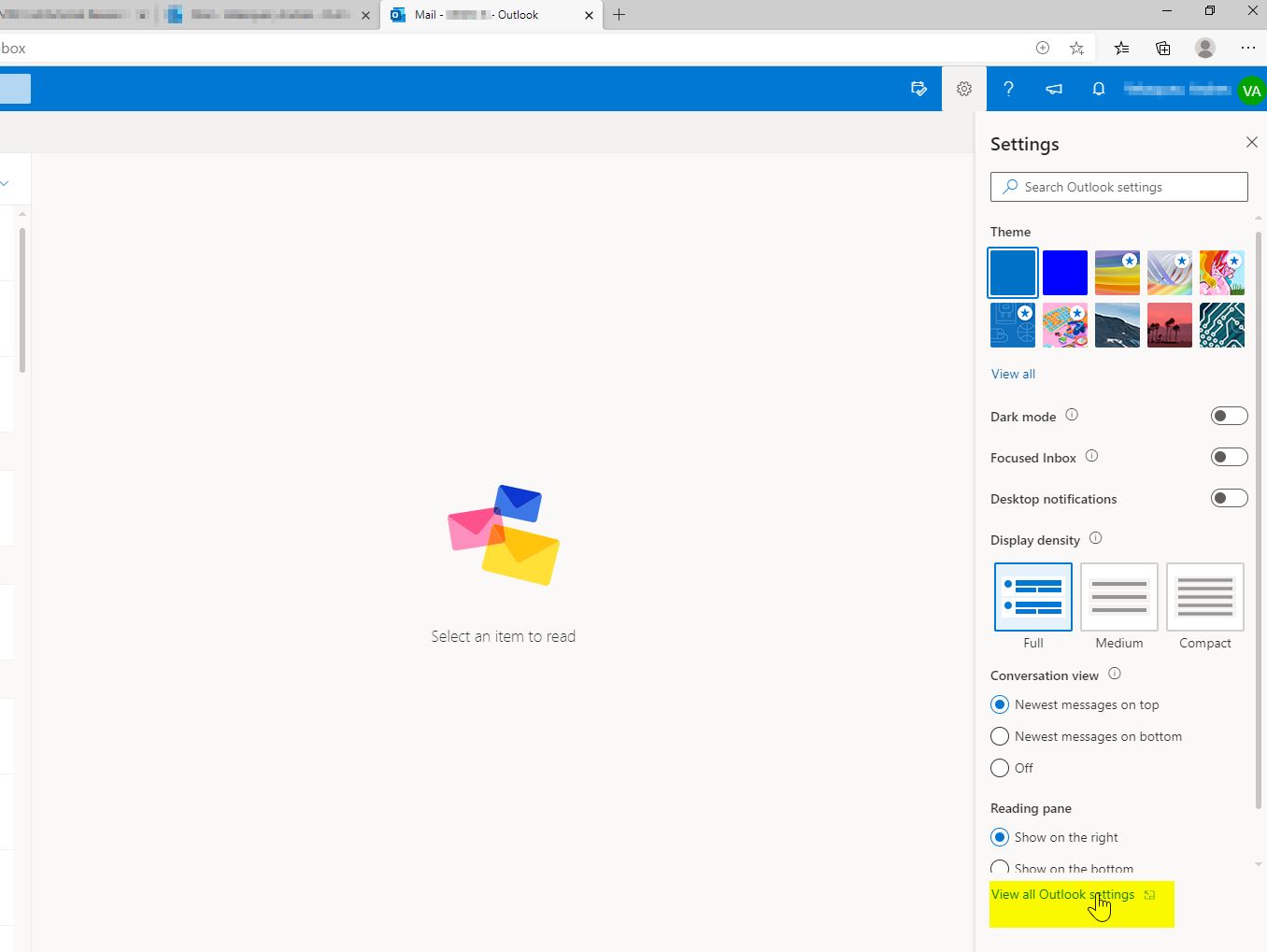
Click on the gear icon (settings) and select View All Outlook Settings
Select the Automatic replies tab and it will display the Automatic Replies settings.
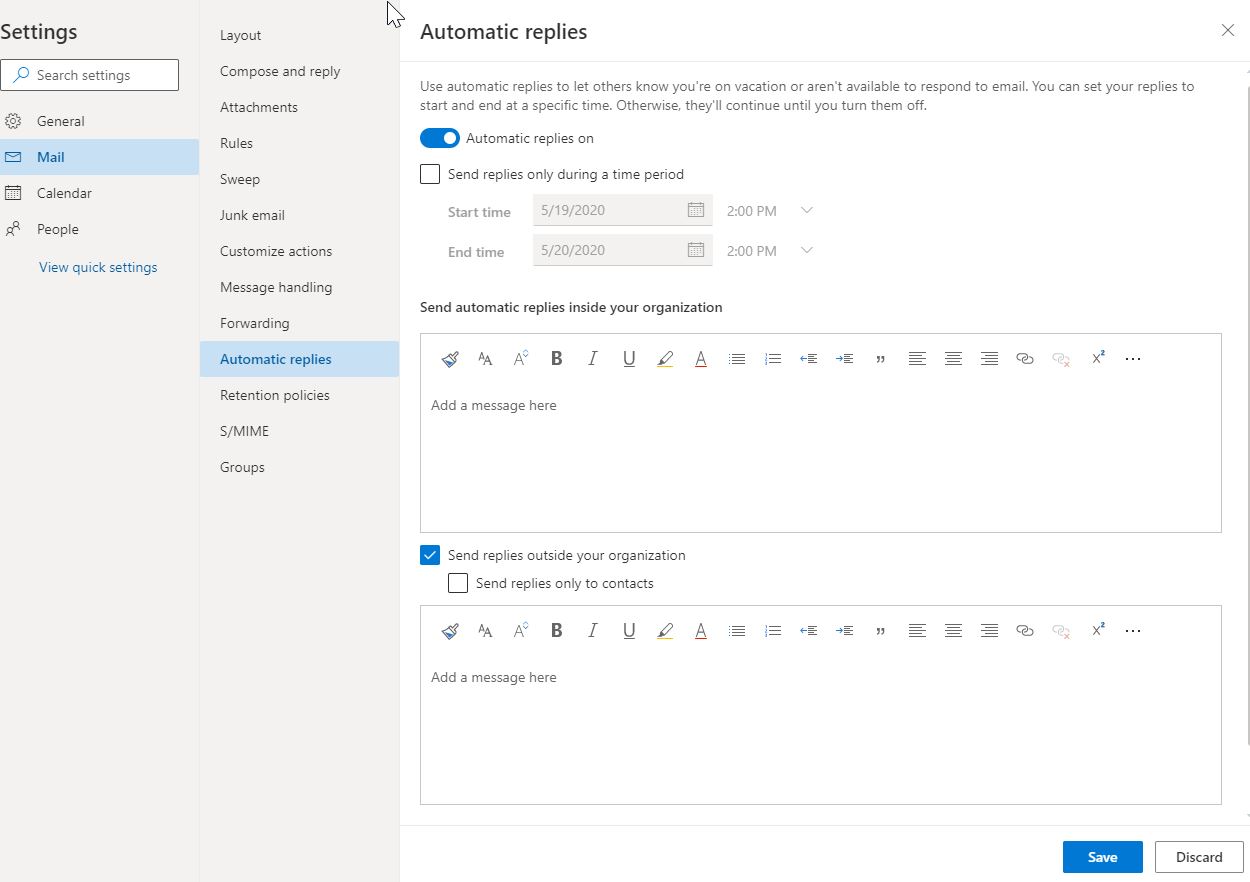
Once it is set click on Save.

Last Updated: 6 years ago in Technical Help and Support Tags: automatic reply, email, out of office, owa, shared accounts

Primary Sidebar

Topics

  • About MDC
  • Academics
  • Admissions
  • Advisement
  • Canvas LMS
  • Financial Aid and Scholarships
  • Graduation
  • Human Resources
  • MDC Online
  • Multi-Term Enrollment
  • MyMDC Account
  • Registering for Classes
  • Student Life
  • Technical Help and Support

Most recent articles

  • Will I be able to view classes prior to the beginning of enrollment?
  • What happens to my Florida residency if I have not attended classes for three terms but have future enrollment?
  • In a hypothetical scenario, if I drop all fall semester courses within the 100% refund period but remains enrolled for spring semester, would the tuition payment (made out-of-pocket) be refunded or carried forward to the spring 2028 balance?