• Skip to primary navigation
  • Skip to main content
  • Skip to primary sidebar

FAQ

Frequently Asked Questions

  • Home
  • Contact Us

None of my data is loading in the MyMDC mobile app. The wheel just keeps spinning or I see an error message


Error messages

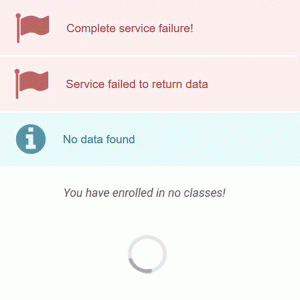
Typical error messages:

  • Complete service failure!
  • Service failed to return data
  • No data found
  • You have enrolled in no classes!

There may be a few different solutions to this:

  1. If you have recently changed your password, you may need to log out and then log in to the app.
  2. Try deleting the app and then reinstalling it.
  3. The issue may also be due to an error with the service you are trying to reach (grades, course schedule, class search, registration, financial aid awards). While this is the least likely scenario, it is a possibility. Close the app and try to access again at a later time.

If none of these solutions solve the problem, please contact the IT Help Desk at 305-237-2505 during regular business hours, or submit a ticket using theĀ mobile app feedback form.

Last Updated: 7 years ago in Technical Help and Support Tags: mobile

Primary Sidebar

Topics

  • About MDC
  • Academics
  • Admissions
  • Advisement
  • Canvas LMS
  • Financial Aid and Scholarships
  • Graduation
  • Human Resources
  • MDC Online
  • Multi-Term Enrollment
  • MyMDC Account
  • Registering for Classes
  • Student Life
  • Technical Help and Support

Most recent articles

  • Will I be able to view classes prior to the beginning of enrollment?
  • What happens to my Florida residency if I have not attended classes for three terms but have future enrollment?
  • In a hypothetical scenario, if I drop all fall semester courses within the 100% refund period but remains enrolled for spring semester, would the tuition payment (made out-of-pocket) be refunded or carried forward to the spring 2028 balance?