• Skip to primary navigation
  • Skip to main content
  • Skip to primary sidebar

FAQ

Frequently Asked Questions

  • Home
  • Contact Us

How does the new Outlook Web App (OWA) page look like?


Always check that the page has the security certificate active (green) and that it is assigned to Miami Dade College. This security certificate is located on the left hand side (green padlock) of the address bar. The page is compatible with major browser like Chrome, Firefox, Edge (pictured below) and IE.
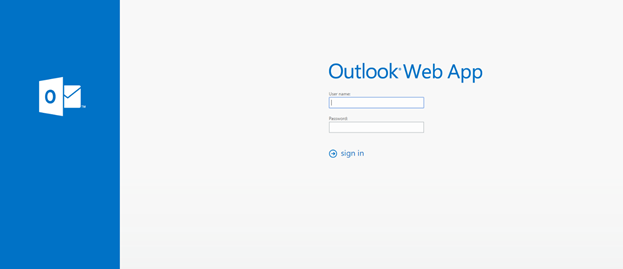
Remember that MDC IT members will never ask for your password in any form or way. We don’t send emails asking users to validate their credentials, this is usually a phishing email attack designated to still your MDC info. If you think you have receive one of this phishing emails, do not click on the emails’ URL and please contact itsecurity@mdc.edu.

Last Updated: 9 years ago in Technical Help and Support Tags: Email Support

Primary Sidebar

Topics

  • About MDC
  • Academics
  • Admissions
  • Advisement
  • Canvas LMS
  • Financial Aid and Scholarships
  • Graduation
  • Human Resources
  • MDC Online
  • Multi-Term Enrollment
  • MyMDC Account
  • Registering for Classes
  • Student Life
  • Technical Help and Support

Most recent articles

  • Will I be able to view classes prior to the beginning of enrollment?
  • What happens to my Florida residency if I have not attended classes for three terms but have future enrollment?
  • In a hypothetical scenario, if I drop all fall semester courses within the 100% refund period but remains enrolled for spring semester, would the tuition payment (made out-of-pocket) be refunded or carried forward to the spring 2028 balance?