When adding your MDC mailbox, you can synchronize your Mail, Contacts, Calendars, Reminders, and Notes with your iOS device.
To add your Exchange account
Tap Settings > Mail, Contacts, Calendars > Add Account > Exchange.
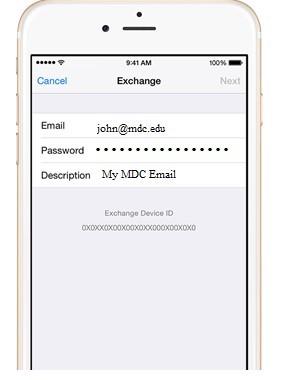
Enter your information
Enter your email address johndoe@mdc.edu and your MDC password. If you want to, you can also enter an account description.
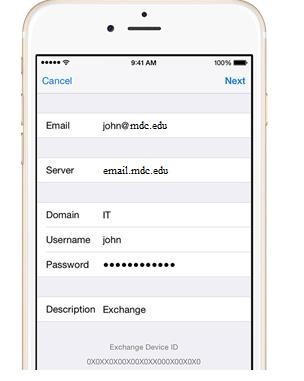
Connect to the Exchange Server
Your iOS device will try to find your Exchange Server based on your email address. You might have to enter additional MDC server information like the Exchange server name which is email.mdc.edu
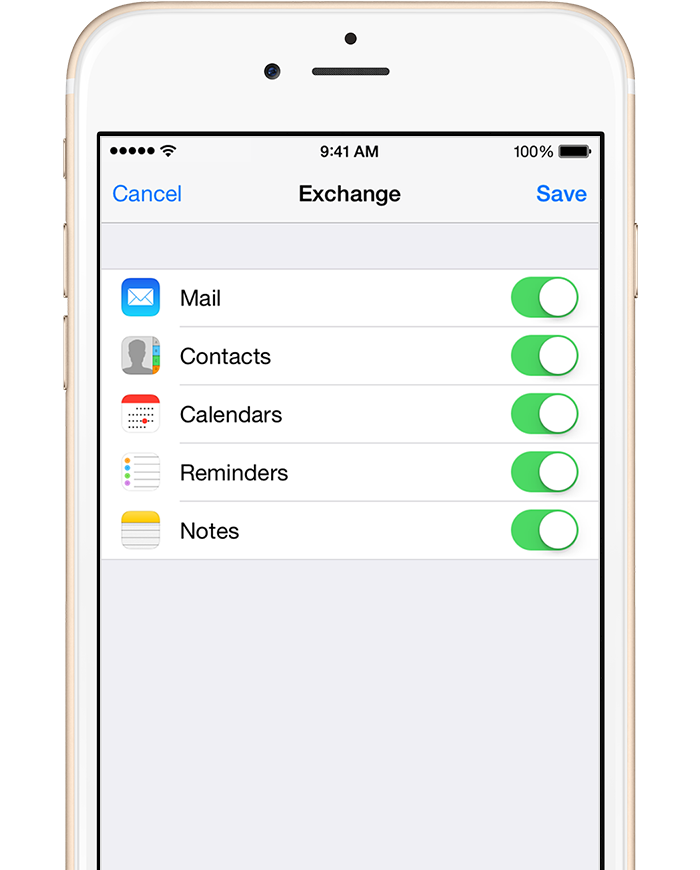
Sync your content
You can sync Mail, Contacts, Calendars, Reminders, and Notes. When you're finished, tap Save.
Edit your Exchange settings only if you need perform additional changes like change the description, how often you want email to by synced, or to remove items you are syncing.
Tap Settings > Mail, Contacts, Calendars, select your Exchange account, and tap Account Info. You can also go here to set up automatic out-of-office replies and change how often you want Mail to sync (the default is 7 days).